Contribution guide
For more information refer to official Gitlab documentation.
Create a fork
It is not possible for non-project members to create merge requests directly in the Archibald repository. In order to be able to open merge requests you will need to fork the Archibald project into your private Gitlab namespace.
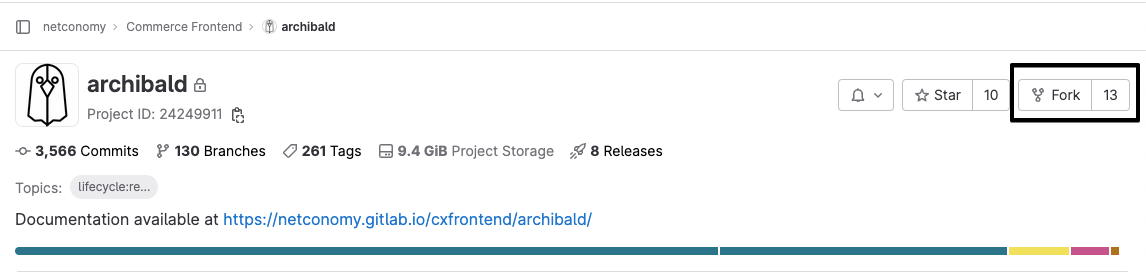
To create a fork, go to the Archibald repository and click the fork button.
Select your personal Gitlab namespace in the Project URL setting. Personal namespace has to follow /netconomy/personal/j.doe convention.
You need to type your Gitlab username in order to find your personal namespace.
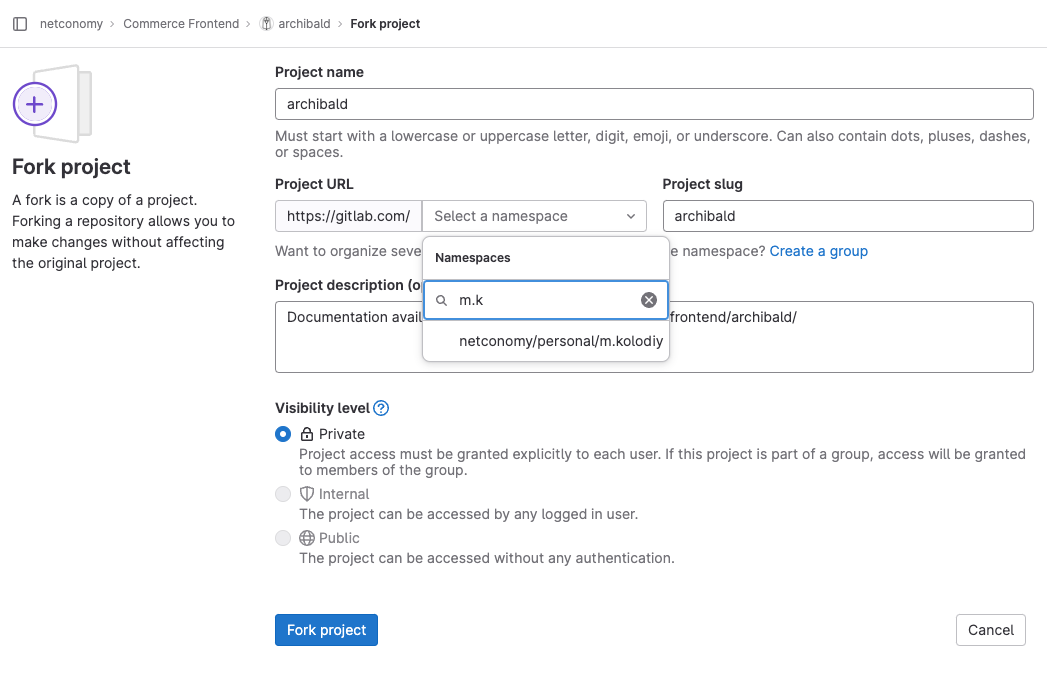
After you selected the Project URL setting, you can click Fork project. A fork will be created and you will be redirected to your personal Gitlab namespace.
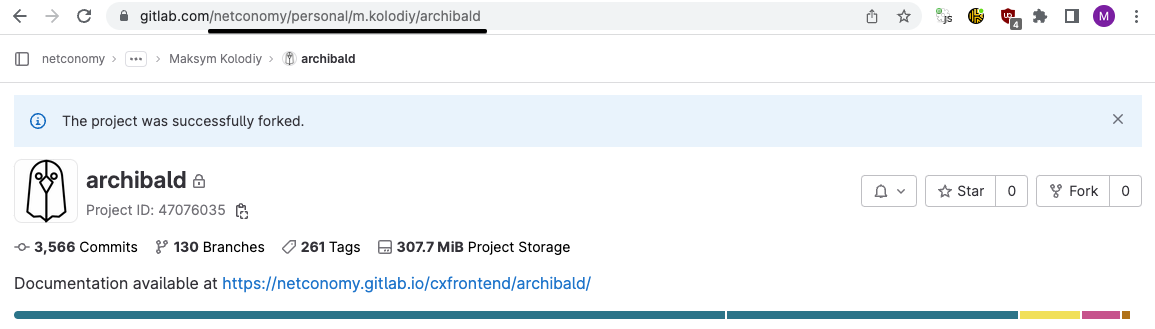
🎉 Now you can start contributing to the Archibald project.
Keeping the fork up to date
Please refer to the official Gitlab guide.
Committing your code
We use Conventional Commits for structuring our commits. When necessary, scope your commit and always use the correct keyword so that in the future we can use automated releases.
You can only use one scope per commit, so to not fall into the problem of having wrongly generated release notes do one commit per scope, so small commits often.
Creating a merge request
Follow the standard workflow to create a branch and push it to your fork. Go to your fork and start the create a new MR workflow. There you have the possibility to change the target branch.

Select the Archibald repository as the target project.
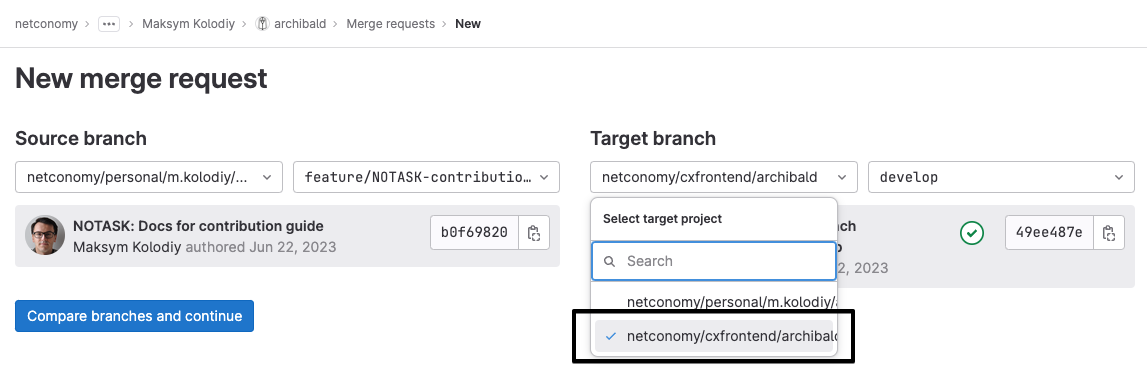
After you changed the target project and the target branch, select an appropriate template and add a description to your merge request. You can then continue and create a merge request in the Archibald project.